RingDay Blog

Now with Apple Watch, Apple Health, Live Activities, and Siri.

Never miss a ring change again.

RingDay tracks NuvaRing, Annovera, EluRyng — or any ring you name — with reminders that actually arrive on time.

Download on the App Store

No account required Data stays on your device Free to download
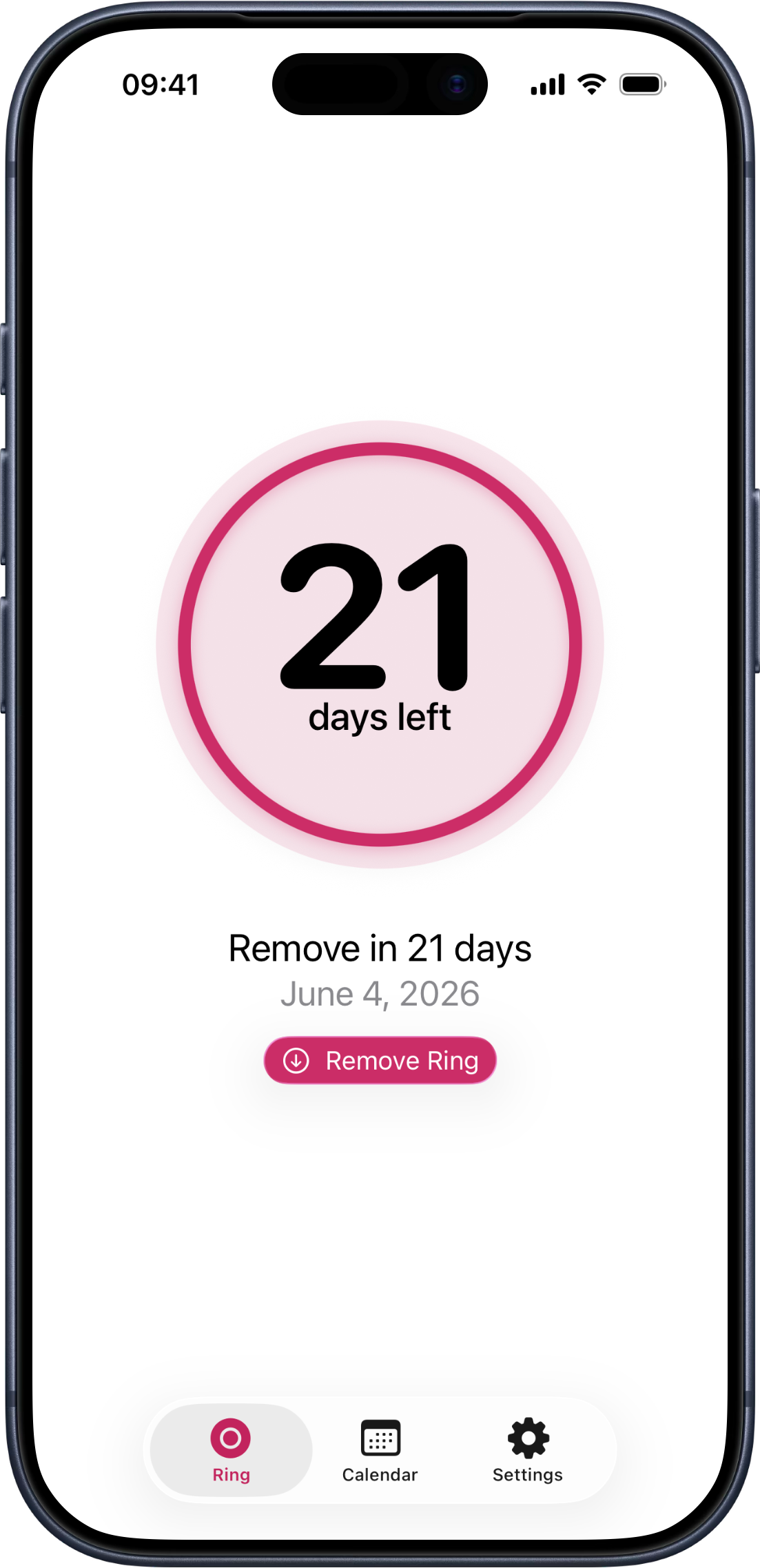
Framed iPhone showing RingDay’s ring-status screen. A countdown reads ‘21 days left’. Below it: ‘Remove in 21 days, June 4, 2026.’ A primary action reads ‘Remove Ring’.

How it works

Three steps. That's it.

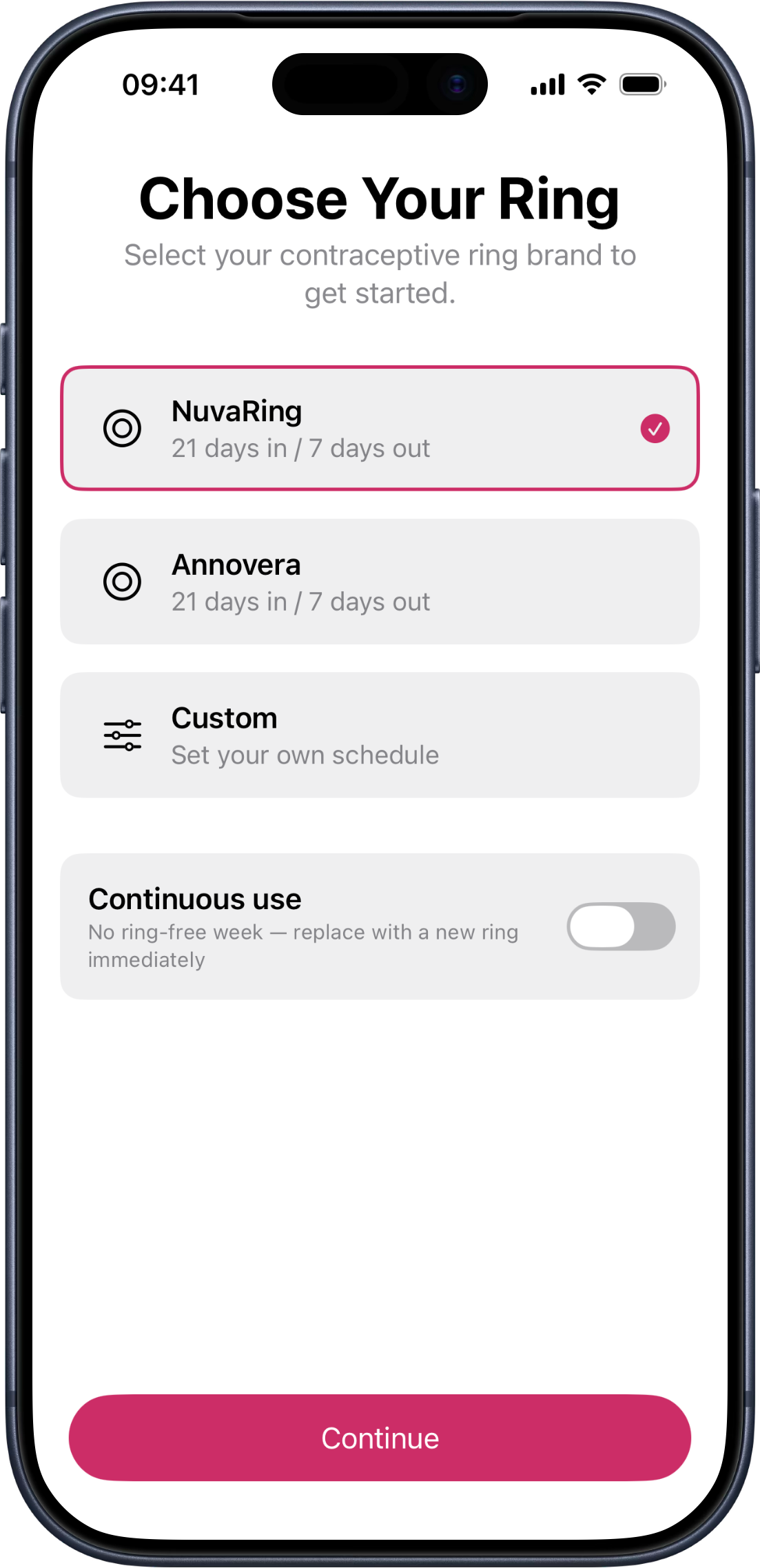
  1. Onboarding screen titled 'Choose Your Ring'. The list shows NuvaRing selected, plus options for Annovera, a custom schedule, and continuous use. 01

    Choose your ring.

    NuvaRing, Annovera, EluRyng, or any ring you name — RingDay lists the brands sold where you are and accepts any other name you type. Custom cycles and continuous use too.

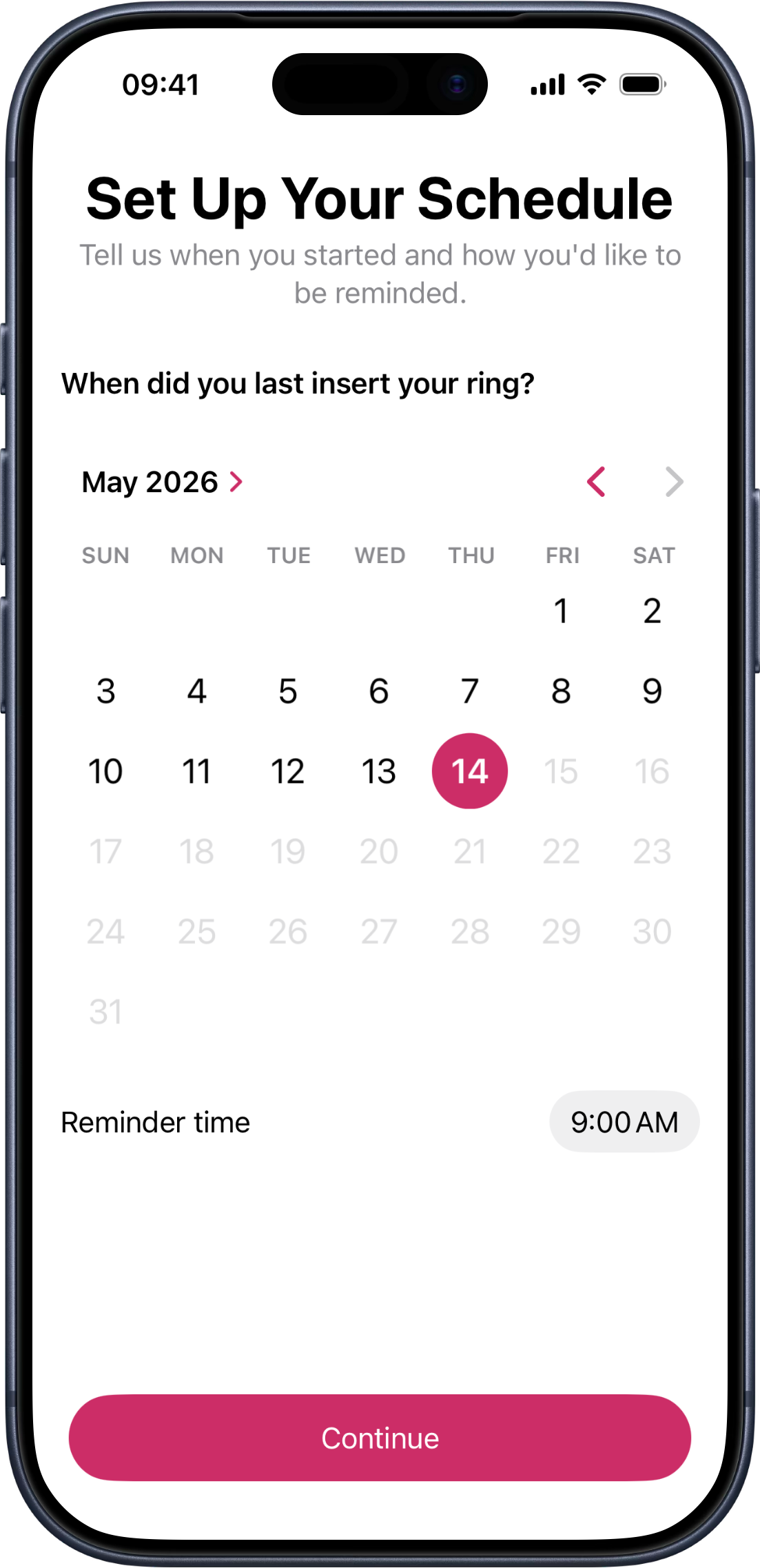
  2. Onboarding screen titled 'Set Up Your Schedule'. A calendar shows April 2026 with the 24th selected as the insertion date; the reminder time is set to 09:00. 02

    Set your schedule.

    Tell RingDay when you started and what time you'd like the reminders. That's all the input it needs.

  3. Framed iPhone showing RingDay’s status screen with the active countdown — ‘21 days left’ inside a circular progress ring, with the next action ‘Remove in 21 days, June 4, 2026.’ 03

    Get reminders that arrive.

    On the day you need to act, the reminder fires — even when the app is closed, even when offline. No notification graveyard. No surprise.

iOS-native, by design.

Apple Watch, Apple Health, Live Activities, and Siri — the four ways RingDay disappears into the iPhone you already use.

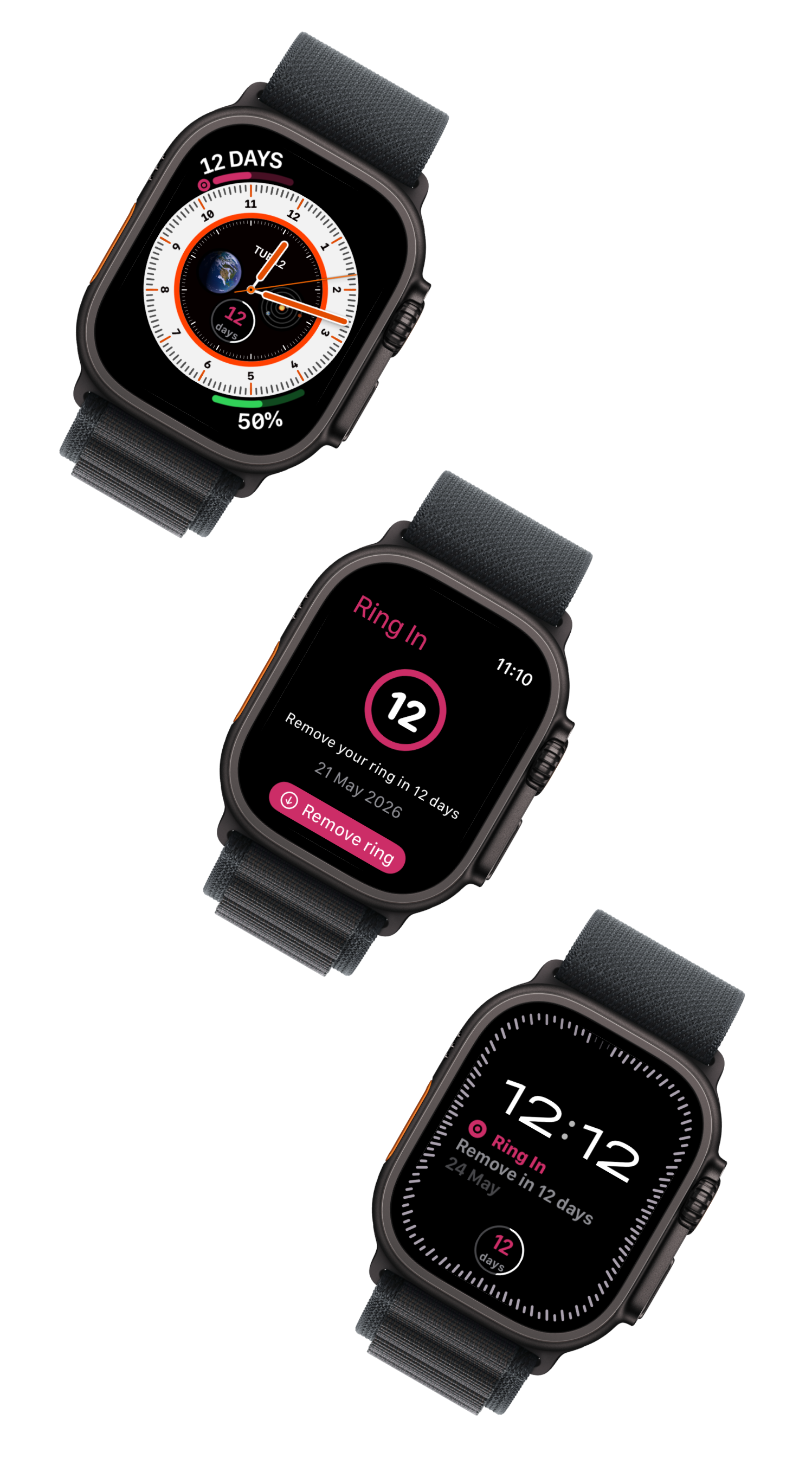
  • Three framed Apple Watches showing RingDay — an analog face with a countdown complication, the in-app Remove ring view, and a digital face with a rectangular ring-status complication.

    On Your Apple Watch

    • Native Watch app: confirm insertion, removal, or ring change from your wrist.
    • Complications for every accessory family — see your status from any watch face.
    • Confirms sync to iPhone, widgets, and Apple Health via iCloud.
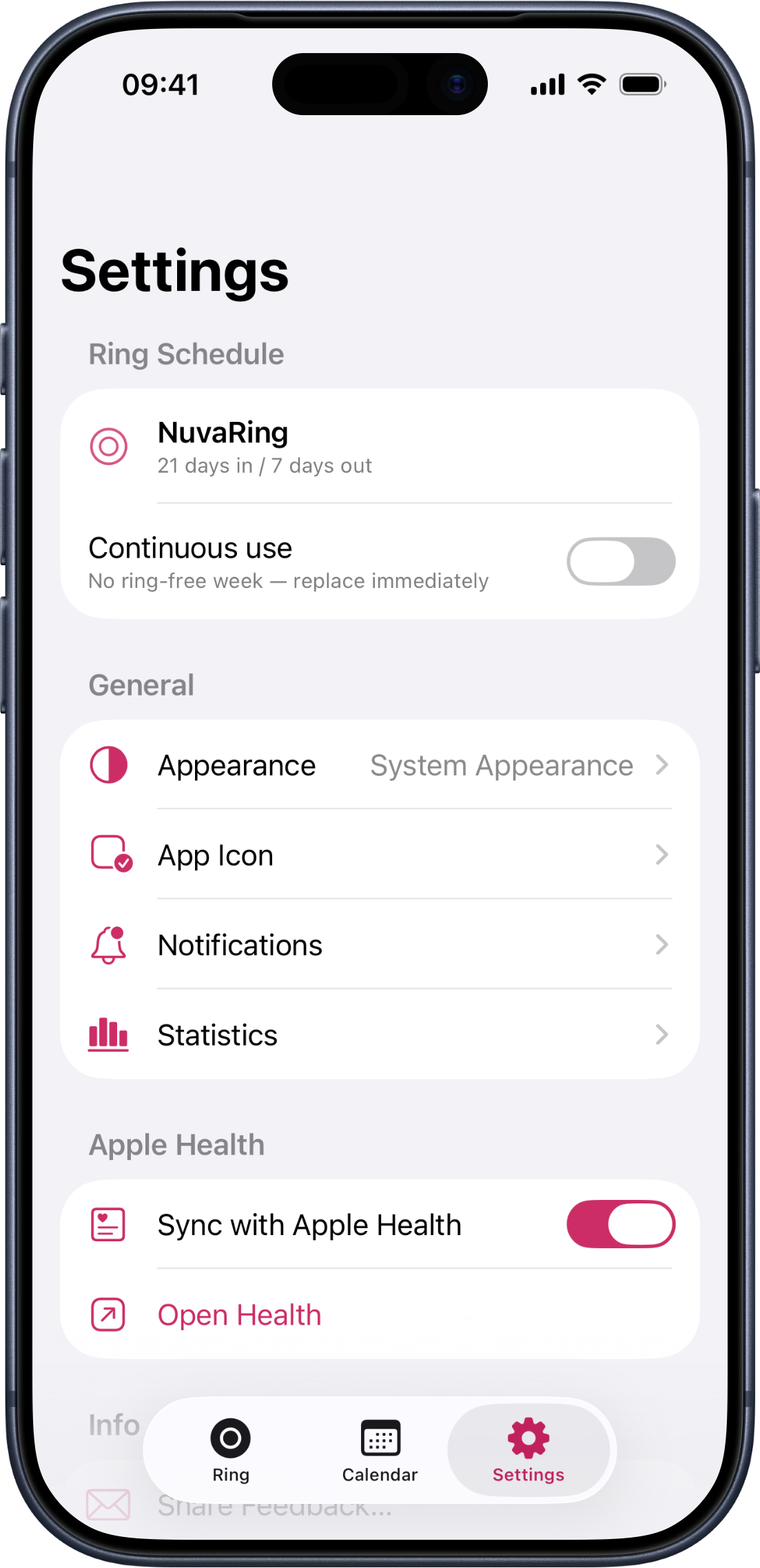
  • Framed iPhone showing RingDay’s settings with the Apple Health sync row and an Open Health link.

    Connected to Apple Health

    • Sync insertion, removal, and ring-change events with Apple Health.
    • Import existing contraceptive samples from other apps with your confirmation.
    • Health data stays on your device — never on a third-party server.
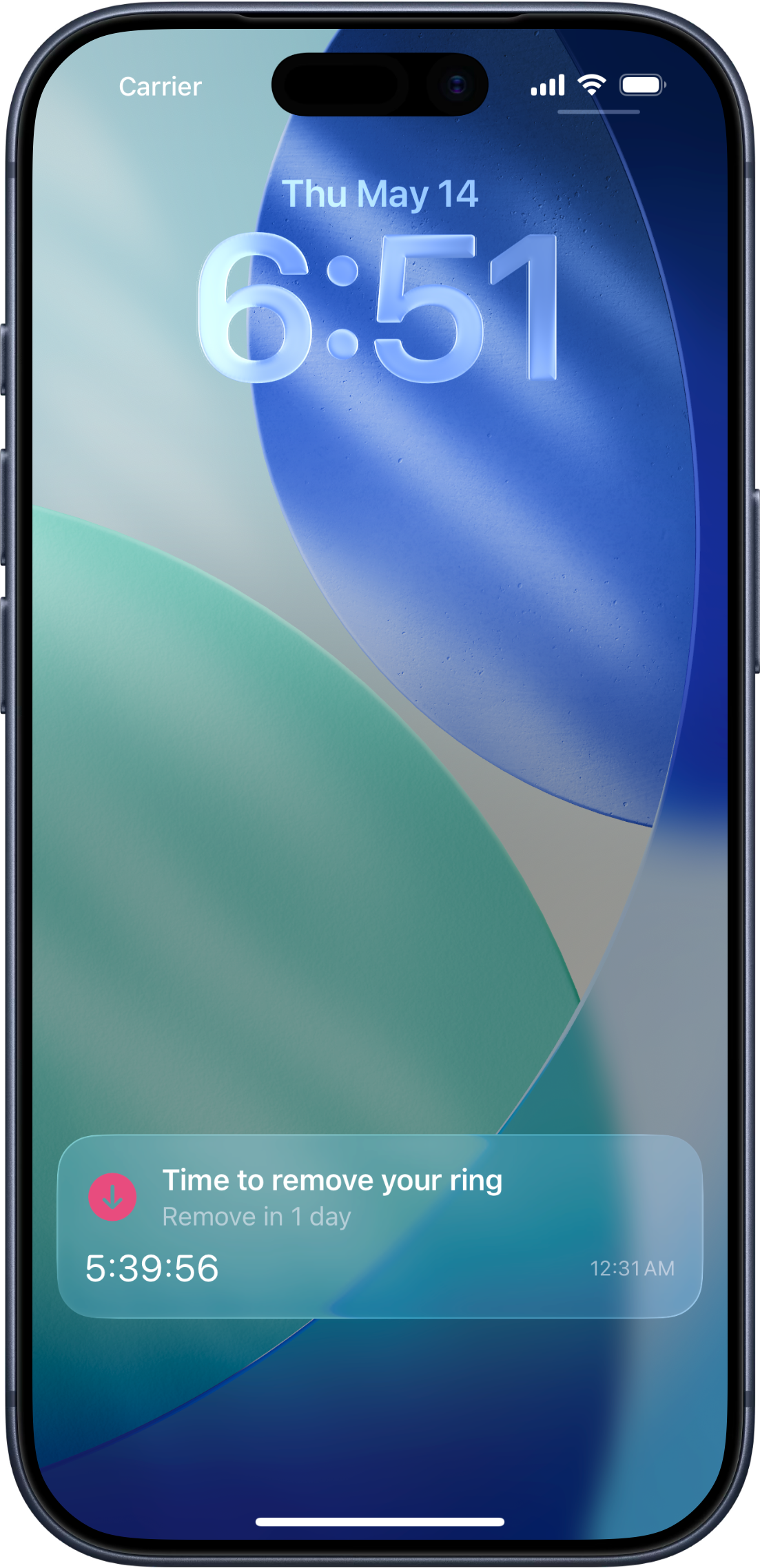
  • Framed iPhone Lock Screen showing RingDay’s Live Activity with a ring-status countdown.

    Live Activities & Dynamic Island

    • Lock-screen activity surfaces in the final hours before any action is due.
    • Dynamic Island compact, expanded, and minimal presentations.
    • Countdown updates without opening the app.
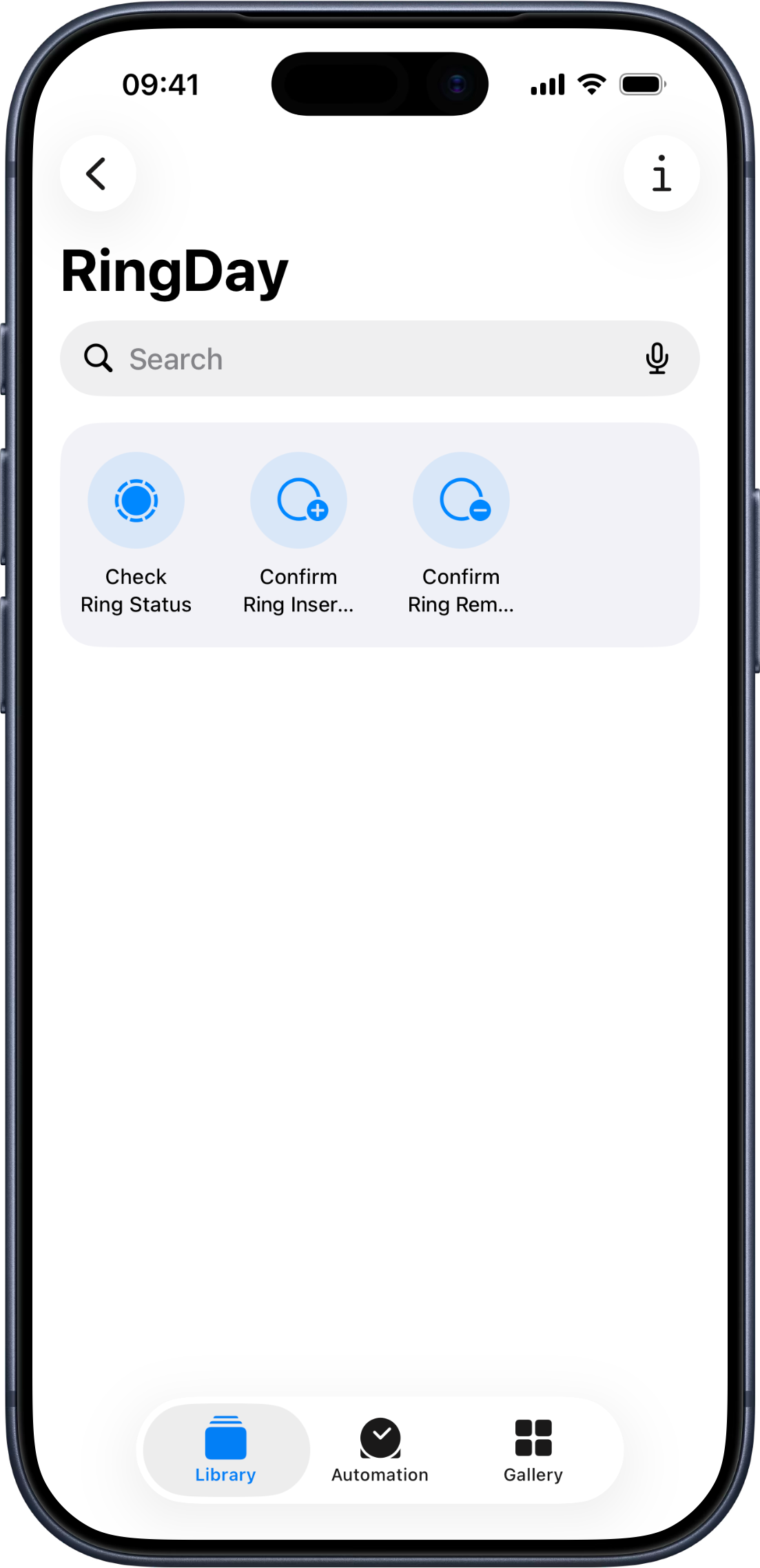
  • Framed iPhone showing the iOS Shortcuts app with RingDay’s App Shortcuts — Check Ring Status, Confirm Ring Insertion, and Confirm Ring Removal.

    “Hey Siri, what’s my ring status?”

    Siri Shortcuts & Spotlight

    • “Hey Siri, what’s my ring status?” — hands-free check-in.
    • Confirm insertion or removal by voice.
    • Ring status surfaces in Spotlight search.

Features

Every surface, every detail.

  • Ring countdown

    Big, glanceable countdown to your next ring action — on every surface.

  • Calendar

    Current month plus your last two cycles, with every insert and remove logged.

  • Live Activity

    Lock Screen and Dynamic Island countdown in the final hours before an action is due.

  • Shortcuts & Siri

    Hands-free check-ins with “Hey Siri, what’s my ring status?”

  • Privacy by design

    No accounts, no servers, no ads, no tracking — your data stays on your device.

  • Onboarding

    Open the app and start tracking — no sign-up, no email, no password.

  • iCloud sync

    End-to-end encrypted sync across your Apple devices — through your iCloud, never ours.

  • Alternative icons Premium

    Pick an app icon that fits your Home Screen.

  • Custom notifications Premium

    Set a notification sound that’s distinct from every other app.
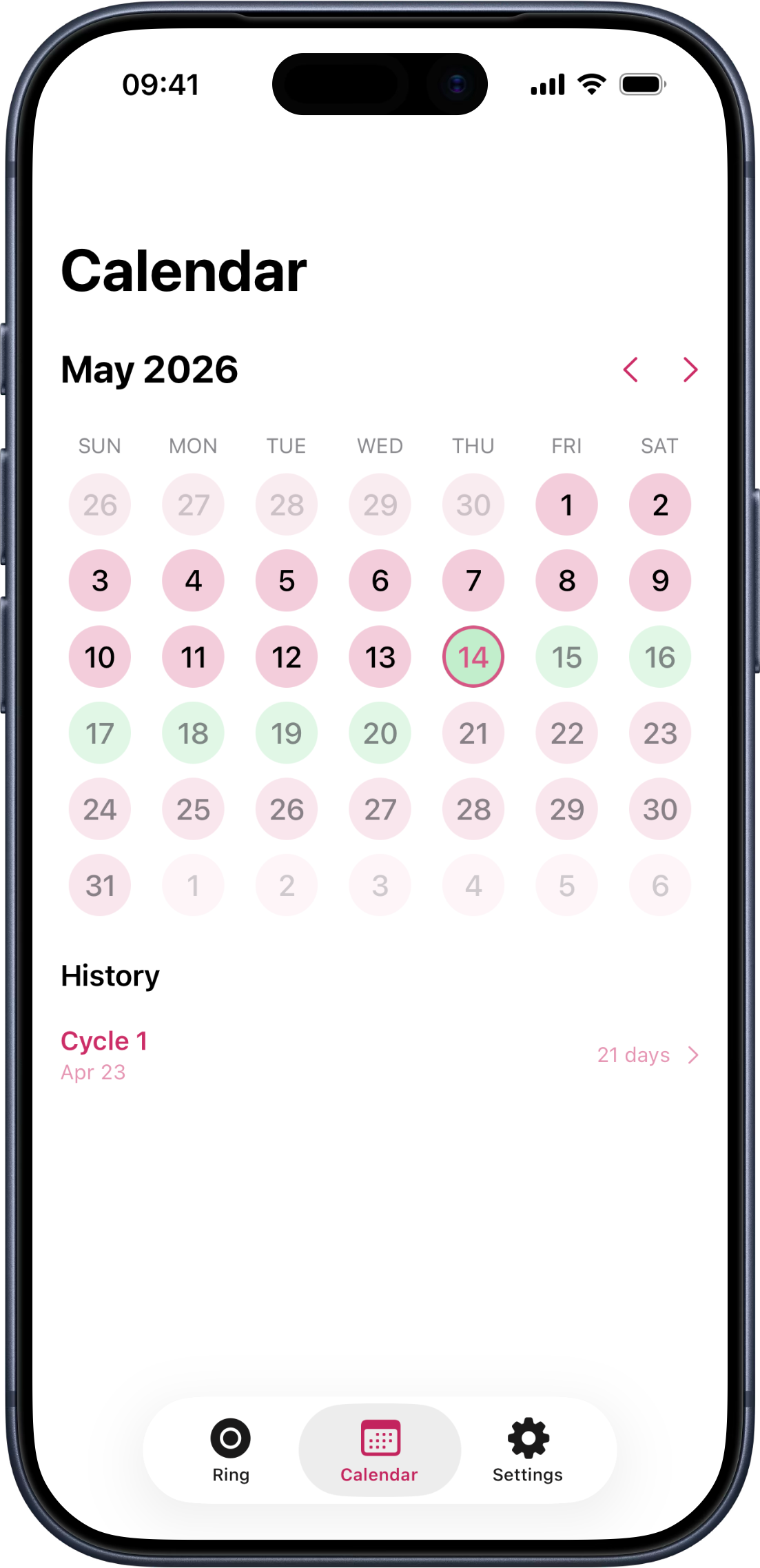
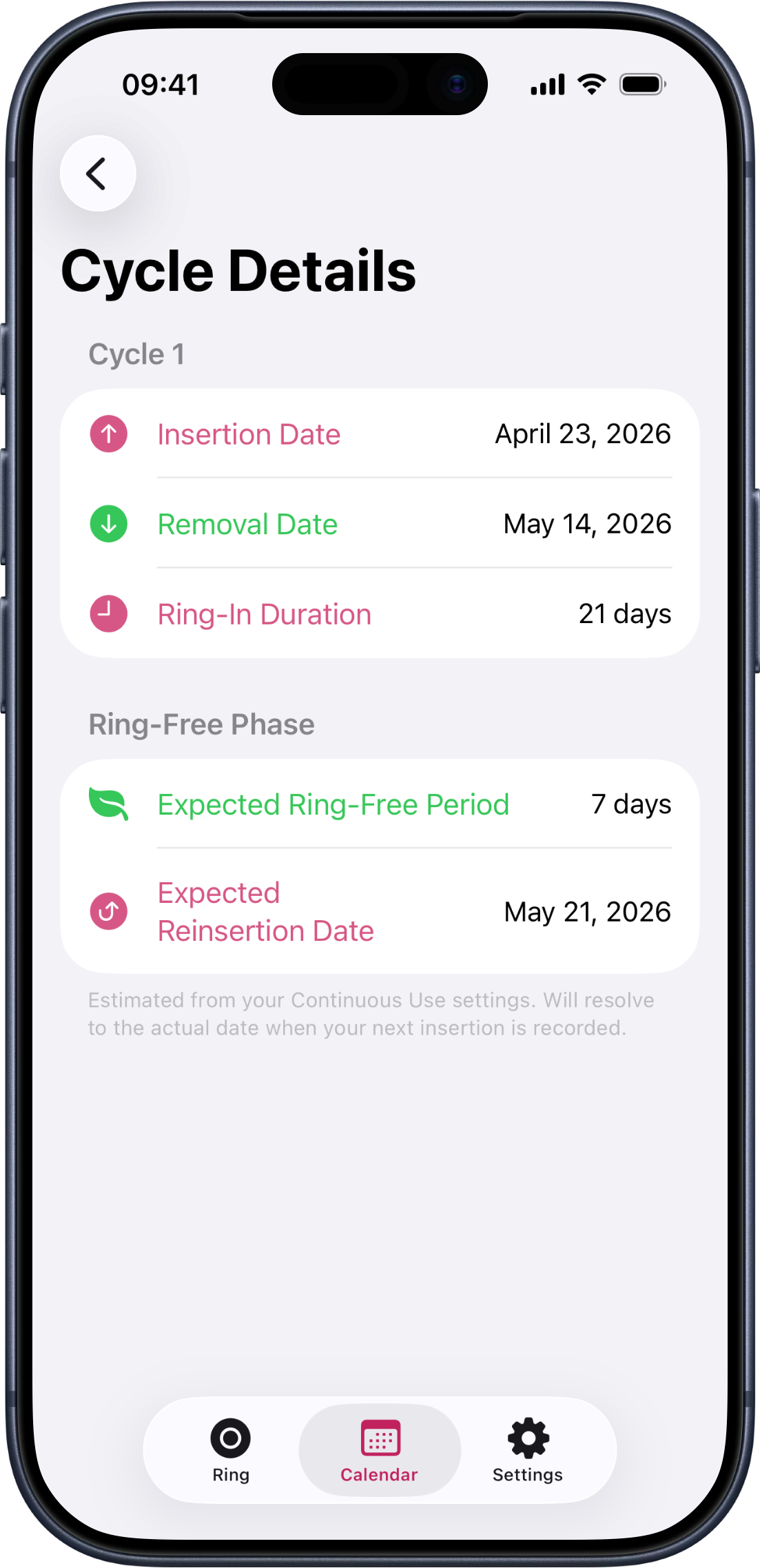
Calendar view showing April 2026 with the active ring cycle highlighted across the last week. Cycle Details screen showing 'Cycle 1' with insertion date 24 April 2026 and removal date listed as 'In progress'.

A schedule view that actually understands your ring.

Most cycle apps were built for periods, then retrofitted with a "reminder". RingDay is the other way around — the schedule view, the calendar, and the per-cycle history are all built around the way contraceptive rings actually work: insertion days, ring-free weeks, continuous use, custom intervals.

You see the next action — not a number you have to interpret.

Privacy

Your data stays on your device. Verified by Apple.

RingDay was designed to work without collecting your data. Apple's App Store privacy nutrition label confirms it — no data is collected, full stop.
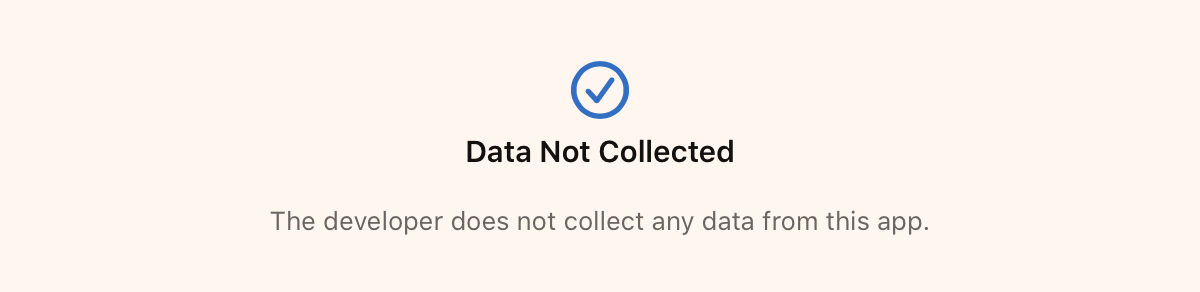
Apple App Store privacy nutrition label for RingDay, displaying the official 'Data Not Collected' badge with the description 'The developer does not collect any data from this app.'

From RingDay's listing on the App Store.

  • End-to-end encryption

    Your data is encrypted with iCloud and only accessible on your devices.

  • No ads

    RingDay will never show you advertisements.

  • No tracking

    We don't collect, share, or sell your personal data.

  • No third-party servers

    Your data stays on your devices and in your iCloud account.

Read the full privacy policy →

Frequently asked questions

Which rings does RingDay support?
NuvaRing, Annovera, EluRyng and the other ring brands sold where you are — the app lists those first and lets you search the rest. If yours isn't listed, type its name and RingDay tracks it as a standard ring. Custom schedules and continuous use are supported too.
Does RingDay require an account?
No. There's no sign-up, no email, no password. Open the app and start tracking. Your data stays on your device and syncs across your Apple devices through your own iCloud — not through any RingDay server.
What's free, and what's Premium?
The free version of RingDay tracks your ring, fires reminders, and shows your last two cycles plus the current month on the calendar. Premium expands cycle history beyond two cycles, adds cycle statistics and trends, home-screen and lock-screen widgets, multiple ring profiles, custom notification sounds, and app icon customization. Apple Watch, Apple Health, Live Activities, and Siri are included in the free tier.
How much is Premium?
US$0.99 per month or US$9.99 per year (about US$0.83 / month, billed annually). Premium subscriptions support Apple Family Sharing — one subscription covers up to five family members.
Will reminders fire if I have my phone on Do Not Disturb?
Yes — RingDay sends ring reminders as time-sensitive notifications. iOS treats these as important enough to deliver even when you’re in a Focus or Do Not Disturb mode, provided you allow notifications from RingDay when the app first asks. Sleep mode and scheduled notification summaries still apply per your iOS settings.
Does RingDay have an Apple Watch app?
Yes — there’s a native Apple Watch app, plus complications for every accessory family. You can confirm insertion, removal, or a ring change from your wrist, and see your status on whichever watch face you use. Sync flows back to iPhone, widgets, and Apple Health via iCloud.
Does RingDay sync with Apple Health?
Yes. RingDay can write insertion, removal, and ring-change events to Apple Health, and import existing contraceptive samples from other apps with your confirmation. Health data stays on your device — never on a third-party server.
Can I use Siri or Shortcuts with RingDay?
Yes. Ask “Hey Siri, what’s my ring status?” for a hands-free check-in, or confirm insertion or removal by voice. Ring status also surfaces in Spotlight search.
What’s a Live Activity?
It’s the lock-screen and Dynamic Island update that surfaces RingDay’s countdown in the final hours before an action is due. The countdown updates without you opening the app.
Is RingDay a medical device?
No. RingDay is a reminder tool for managing the ring schedule you've already been prescribed. It does not provide medical advice, and it does not replace instructions from your healthcare provider. See the disclaimer in the footer for full legal language.

Ready when you are.

Download on the App Store

No account Free to download Premium optional